
Connect QuickBooks to Your CRM Without Double Data Entry
If your team creates a customer in the CRM and then types the same customer into QuickBooks — and does it again for every invoice — you are paying twice for the same work, and inviting errors every time. Here is why that gap exists and how a real integration closes it.
July 22, 2026 · BSB Tech Hub
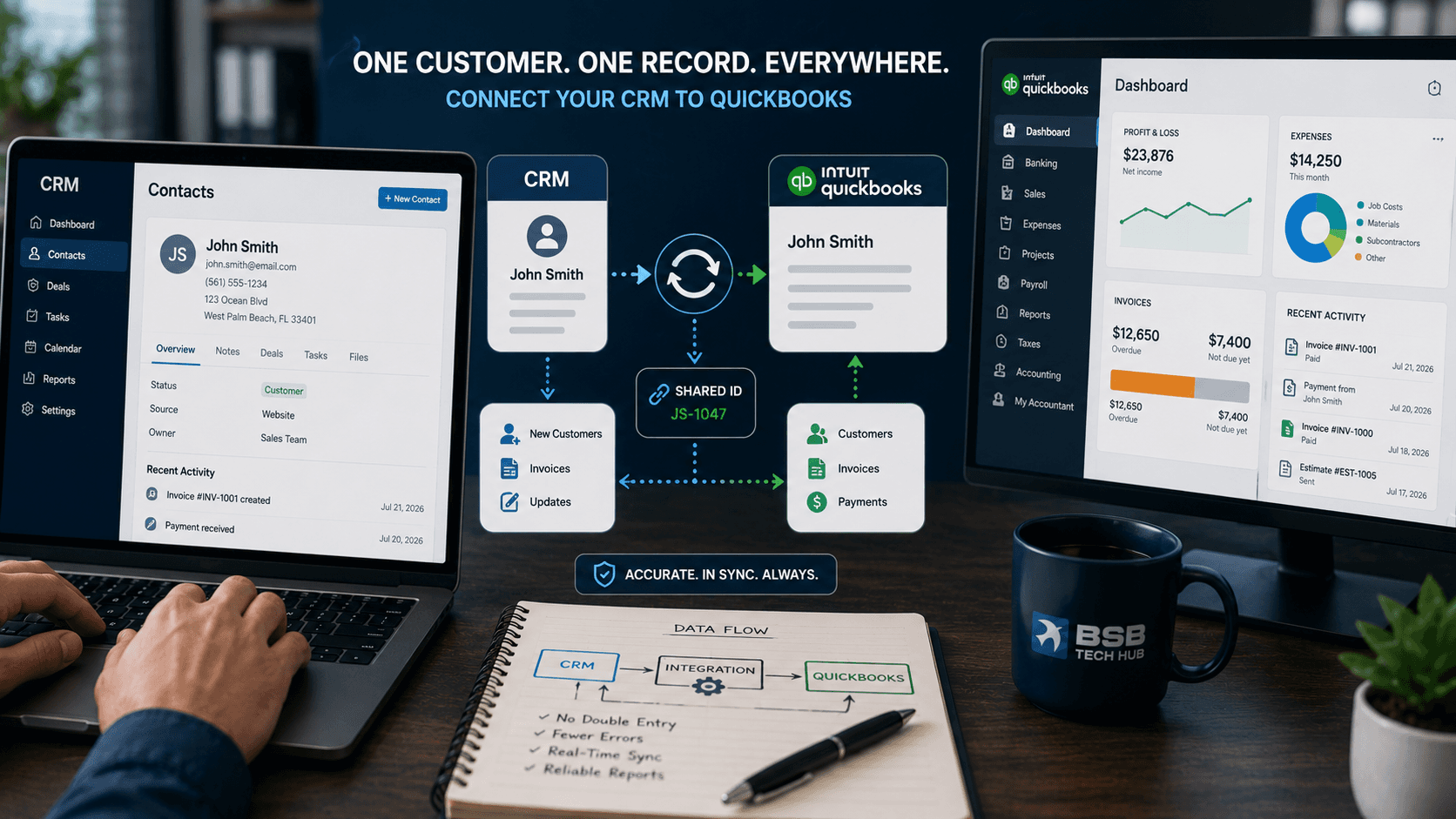
Almost every growing business ends up running two systems that both need to know about the same customers: a CRM where sales lives, and QuickBooks where the money lives. The problem is that they usually don't talk to each other. So a person becomes the bridge — copying names, addresses, and amounts back and forth by hand. It feels like a small chore, but it is one of the most expensive habits a small business can keep.
The real cost of typing it twice
Double data entry does not just cost the minutes it takes. It compounds:
- A name is spelled one way in the CRM and another in QuickBooks, so reports never quite match
- An invoice is created in accounting but never reflected back to the sales side
- Someone forgets a step, and a customer or a payment falls through the cracks
- Month-end becomes a reconciliation project instead of a quick review
The worst part is that the errors are invisible until they aren't — until a client is billed wrong, or two "versions" of the same customer show up in a report.
Why the two systems don't talk on their own
CRMs and QuickBooks are built for different jobs, and they model customers, projects, and invoices differently. Out of the box, they have no shared idea of what "the same customer" means. Off-the-shelf connectors help for simple cases, but they often stop exactly where a real business gets specific — custom fields, project-based accounting, or the parts of QuickBooks that generic automation tools don't reach.
That is the gap a proper system integration is meant to fill — a connection designed around how your specific tools actually represent the data.
What a proper integration does
Done right, the integration makes the two systems behave like one. The principles that matter:
Enter data once
A customer created in the CRM appears in QuickBooks automatically — no retyping, no second window.
A shared identity for every record
Each customer and invoice carries a stable link between the two systems, so there is never a question of which record matches which. This is what keeps reports consistent.
The right direction, automatically
New sales flow into accounting; invoices and payment status flow back to the sales view — so everyone sees the same truth without asking each other.
Handles the specifics, not just the basics
Project-based accounting, custom fields, and multi-company setups are exactly where generic tools give up — and where a purpose-built integration earns its keep.
A real example
Some of the most valuable QuickBooks work lives in parts of the product that popular automation tools can't even reach. We ran into exactly that when we built the NCOMPSS QuickBooks Connector: a secure REST API that unlocks the QuickBooks Projects module — something tools like Make and Zapier don't support natively — so each tenant's estimates and invoices stay organized by project, with authentication and sensitive data handled safely at scale. It is a clear example of an integration reaching where off-the-shelf connectors stop.
Where to start
You don't need to integrate everything at once. The highest-value first step is usually the one your team repeats most: syncing new customers, or pushing invoices between the CRM and QuickBooks. Map where the double entry actually happens, and start there.
For businesses across Miami and South Florida, the payoff is the same: data entered once, systems that agree with each other, and a month-end that takes minutes instead of days. If your team is still the bridge between your CRM and QuickBooks, that is the bridge worth automating first.
Share this article
System Integrations
Connect your CRM, QuickBooks, and the rest of your tools so data flows once.
Case Study: QuickBooks Connector
A secure REST API that unlocks the QuickBooks Projects module for automation.
IT Consulting in Miami
Technology guidance for South Florida businesses connecting their systems.
Talk to Our Team
Map where the double data entry happens and what it would take to end it.